Viewing datastream issues
On this page
This guide explains how to view datastream issues.
Introduction
There are two types of issues in Adverity:
- Errors
Errors signal critical issues and stop processing the data.
- Warnings
Warnings signal non-critical issues and continue processing the data.
Adverity’s datastream issues inform you about potential problems with your data and datastreams. These problems include the following issues:
-
Issues that prevent your datastream from fetching data from your chosen data source, such as incorrect datastream configuration settings
-
Issues that occur while applying a transformation to your data extract, such as incorrect configuration of a transformation
-
Issues detected by data monitors, such as duplicate data rows in your data extracts
Viewing datastream issues
There are a number of ways to stay up-to-date with all the datastream warnings and errors in your Adverity workspace. You can find datastream issues in the following ways:
-
Set up notifications so that Adverity will inform you about errors and warnings
-
See warnings and errors relating to all datastreams in the task monitor in the Activity page
-
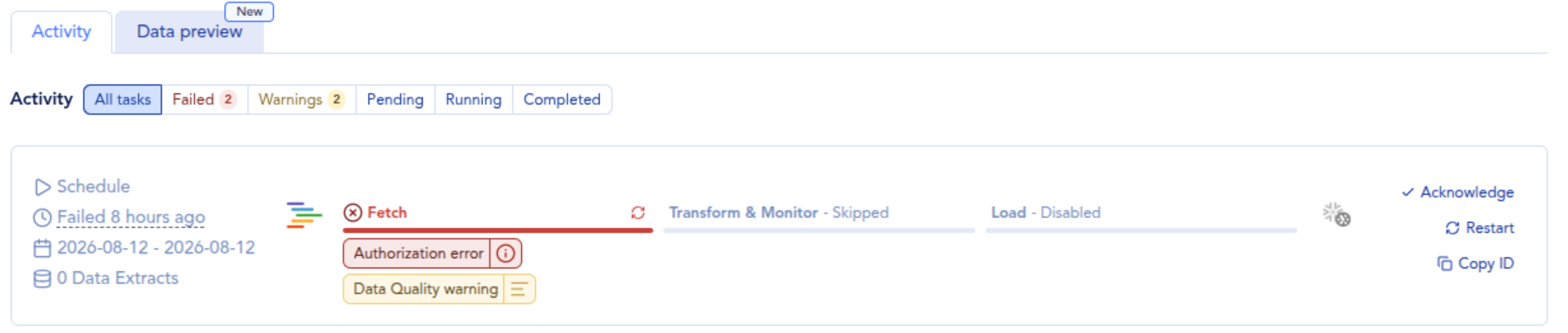
Click the Warnings or Failed tab in the overview of a datastream (shown below) to see warnings or errors relating to this datastream